Time tracking for office and mobile teams
Clock in in a second — Awerka does the rest
„One click to clock in, one to clock out. Awerka handles the rest.
If you're on the job site, you don't have time for Excel.
The typical timesheet looks like this: scrap of paper on the site, written down in the evening, typos when transferred, an Excel file with fragile formulas, scattered across three inboxes and an envelope by month-end. Whoever writes it down forgets half. Whoever doesn't gets short-changed on payroll — or the other way around.
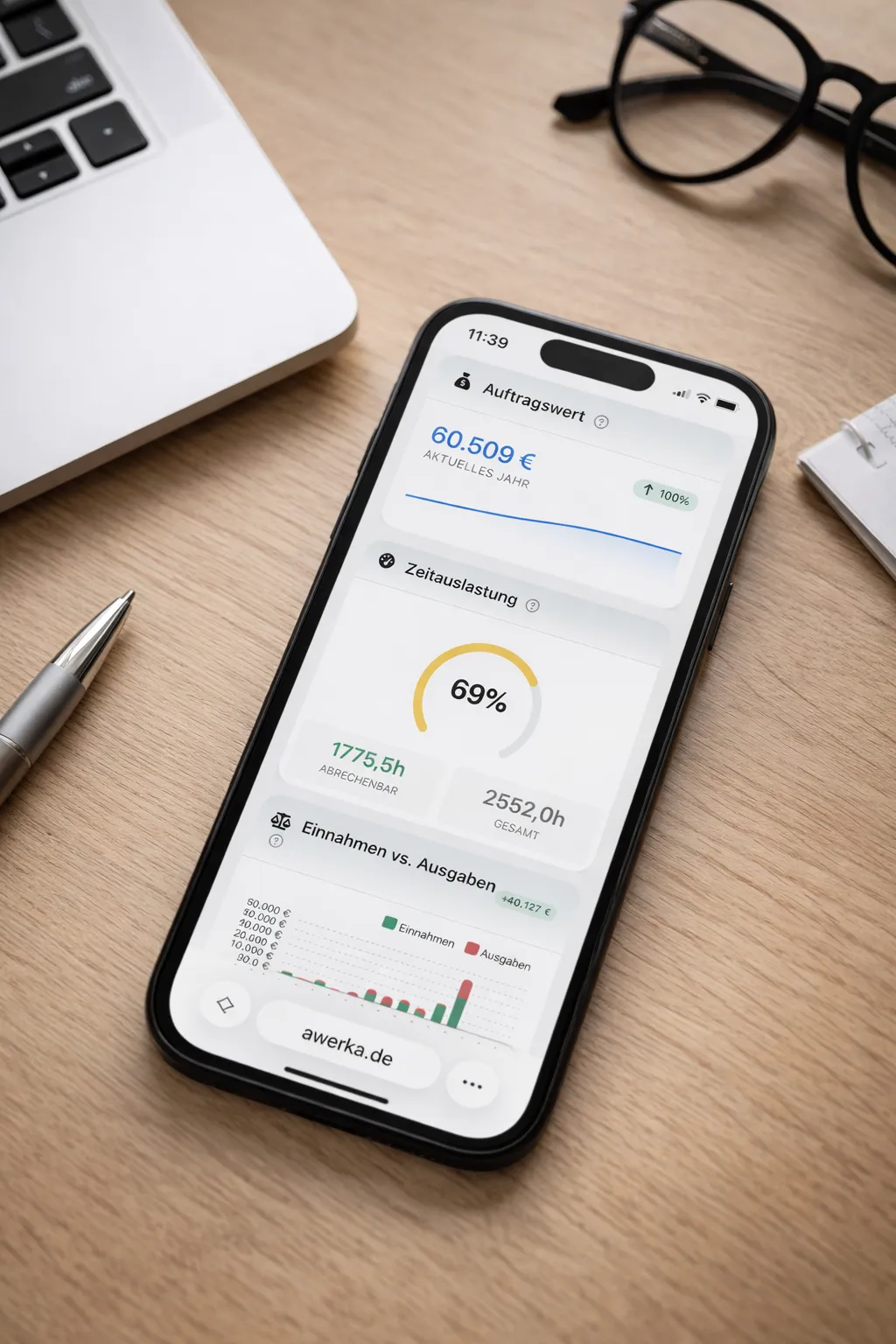
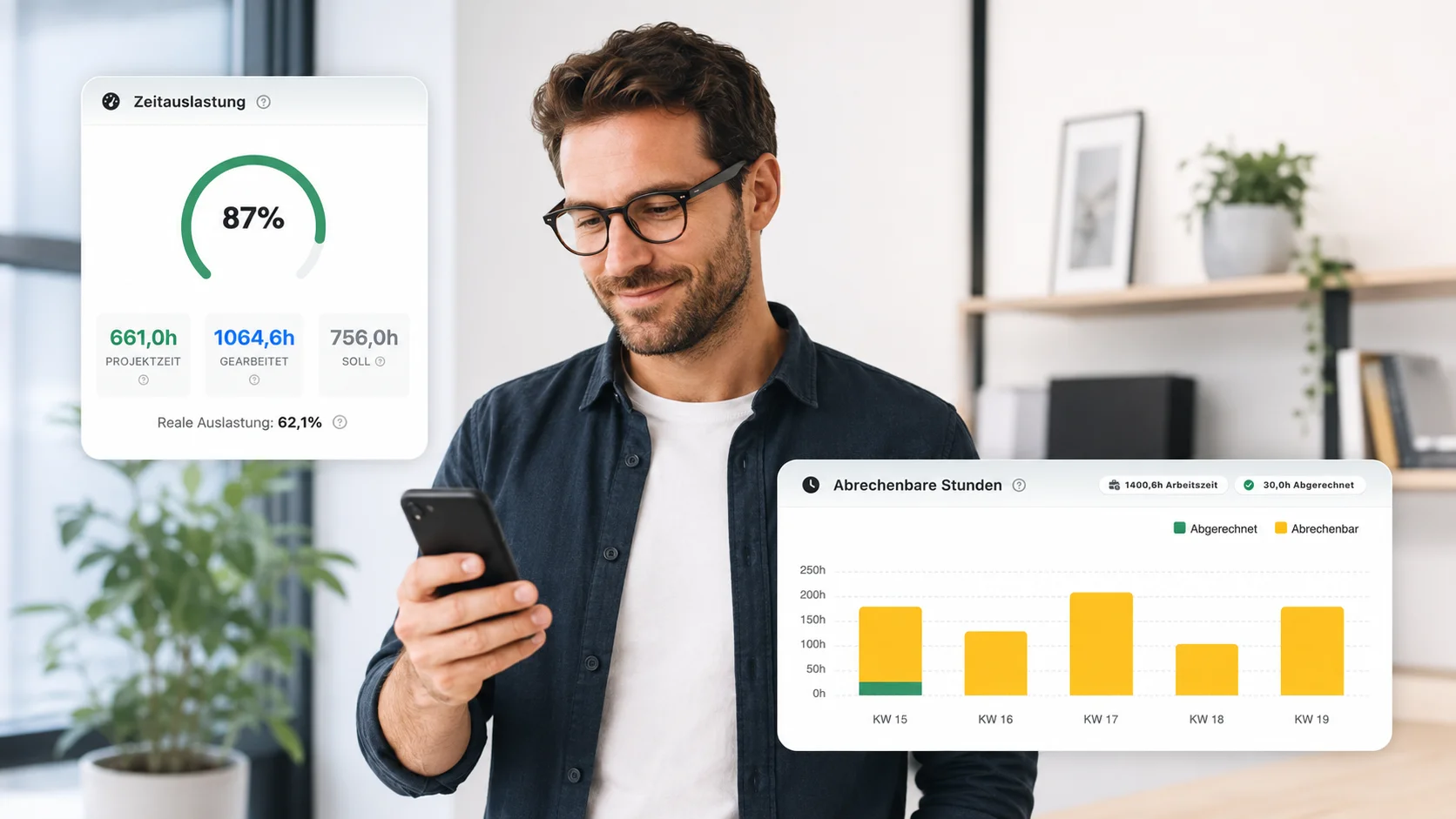
With Awerka it goes like this: one tap on your phone to start, one tap to stop. Break? Tap. Switch projects? Tap. The hours land in Awerka instantly, accurate to the second, assigned to the right project. The monthly timesheet drops out automatically — without anyone clattering away in Excel.
There are 100 time-tracking apps. Most are islands — they collect hours, you export them, then into payroll, then into invoicing. Awerka keeps everything in: the hour lands in the project, the employee profile, the next invoice. No bridges, no CSV exports. One single source of truth for your team's working hours.

Capture every minute
Start/stop timers or add time manually—smart defaults make logging fast on web and mobile.
Bill and pay correctly
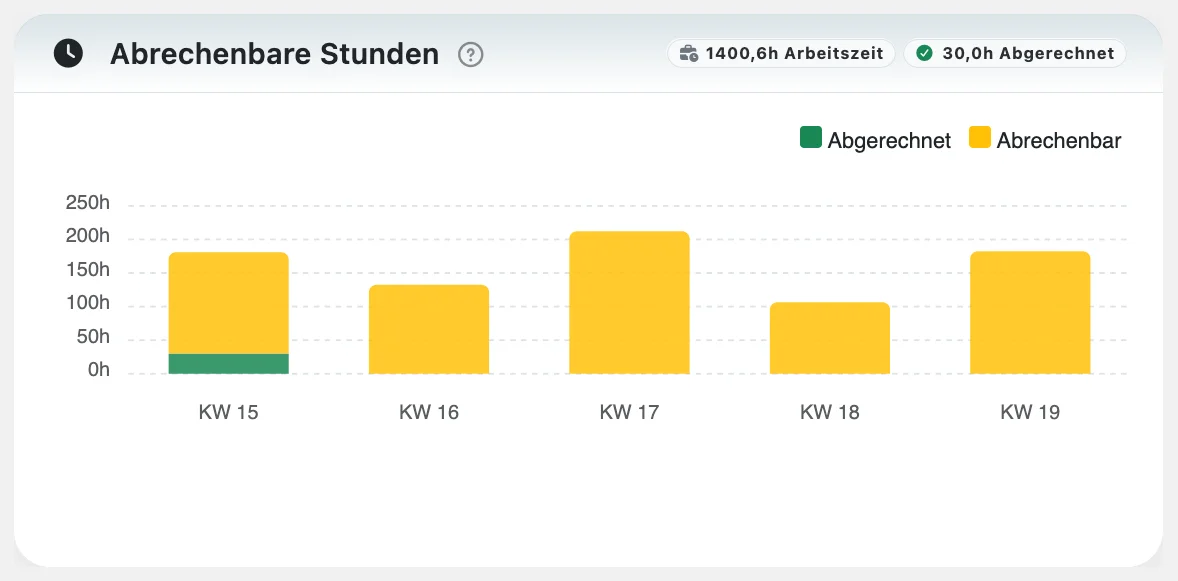
Export-ready timesheets with billable rates, approvals, and rounding keep payroll and invoicing accurate.
Holidays & absences included
Manage vacation entitlements, approve holiday requests, and track sick days — all in one place with automatic balance checks.
Everything you need
- Start/stop timer and quick manual entries
- Track by project and task with work/absence types
- Pause and break handling with configurable rules
- Billable and cost rates, rounding, and notes
- Manager approvals and lockable periods
- Weekly timesheet and calendar views
- Overtime calculation and alerts
- Holiday entitlements with automatic balance validation
- Absence management: vacation, sick leave, flexdays, and more
- Home office tracking with export for tax documentation
- CSV/PDF export
- Permissions per organization and tenant
Time Tracking Obligation: What the Law Requires
Is time tracking mandatory? Yes! Here's an overview of the legal time tracking obligation in the EU, Germany, Austria, and Switzerland.
EU-Wide Time Tracking Obligation
On May 14, 2019, the European Court of Justice (ECJ) ruled in Case C-55/18 (CCOO v. Deutsche Bank) that all EU member states must require employers to set up a system for recording daily working time. The ruling is based on the EU Working Time Directive (2003/88/EC) and the EU Charter of Fundamental Rights (Articles 7 and 31). Without systematic recording, employee rights to maximum working hours and minimum rest periods cannot be effectively enforced.
Core requirements of the ECJ ruling
- Employers must establish an objective, reliable, and accessible time recording system
- The system must measure daily working time for each individual employee
- Member states may determine the specific form of implementation
- Company size, sector, and specific characteristics may be taken into account
EU Working Time Directive: Key protections
- Maximum 48 working hours per week (including overtime)
- Minimum 11 consecutive hours of daily rest
- At least 24 hours of uninterrupted weekly rest
- Minimum 4 weeks of paid annual leave
- Maximum 8 hours per night shift on average
Implementation status
The ECJ ruling is binding for all 27 EU member states. Each country must transpose the obligation into national law. Some countries like Spain and Portugal already had comprehensive recording obligations; others like Germany and France are still in the process of legislative implementation. Regardless of national transposition, the ruling already has direct legal effect — courts in Germany (BAG, September 2022) and other member states now interpret existing labor law in light of the ECJ decision.
Time Tracking Obligation in Germany
Since the Federal Labor Court ruling (BAG) of September 13, 2022, employers in Germany must systematically record all working hours. This ruling implements the EU Working Time Directive based on § 3 para. 2 no. 1 of the Occupational Health and Safety Act (ArbSchG). A concrete law is still pending – the coalition agreement of 2025 plans electronic time recording with transition periods depending on company size.
What must be recorded?
- Start and end of daily working time
- Total duration of working hours
- Breaks and rest periods
- Overtime and additional hours
Planned transition periods
- Over 250 employees: 1 year
- Under 250 employees: 2 years
- Under 50 employees: 5 years
- Under 10 employees: permanent exemption from electronic recording
Consequences of non-compliance
Without proper time records, the burden of proof shifts to the employer in labor disputes. If authorities order measures and these are ignored, fines up to €30,000 are possible. Pure trust-based working time without any recording is no longer permissible (VG Hamburg, August 2024).
Time Tracking Obligation in Austria
In Austria, time recording has been mandatory since 1969 under § 26 of the Working Time Act (AZG). The obligation applies to all companies and employees – regardless of company size. Only senior executives and freelancers are exempt from the scope of the AZG. Recording can be done in writing or electronically.
What must be recorded?
- Start and end of daily working time
- Daily and weekly working hours
- Break and rest periods
- Overtime and additional hours
Retention and transparency
- Retention period: at least 1 year (drivers: 24 months)
- Employees may request a copy of their records once a month
- Labor Inspectorate may request access at any time
Consequences of non-compliance
Violations are punished by the Labor Inspectorate with fines up to €3,600 per employee for first offenses. For repeated violations, fines up to €7,200 per employee are possible.
Time Tracking Obligation in Switzerland
According to Art. 46 of the Labor Act (ArG), employers in Switzerland must keep records of working hours. The law distinguishes between three models: systematic recording (standard), simplified recording for employees with flexible working hours, and waiver of recording for high earners with significant autonomy.
What must be recorded?
- Daily and weekly working hours
- Breaks of 30 minutes or more
- Compensatory rest time and overtime
- Sunday and night work
Special regulations
- Simplified recording: only total daily hours for employees with flexible schedules
- Waiver: possible with collective agreement, income over CHF 120,000 and significant autonomy
- Exceptions: commercial travelers and senior management
- Retention period: 5 years
Consequences of non-compliance
The cantonal Labor Inspectorate monitors compliance. Violations first result in a warning. If this is not heeded, cantonal fines apply. The amount varies by canton.
Awerka helps you meet all legal requirements with automatic time recording, export functions, and audit-proof documentation.
Last updated: March 2026. This overview is for informational purposes only and does not constitute legal advice.
Holiday & Absence Management
Digital vacation planning for your team — from the holiday request to the approval, with automatic entitlement tracking.
Entitlement Tracking
Set vacation days per employee and year. Carry-over and special leave are tracked automatically — remaining days always visible at a glance.
Request & Approval
Employees submit holiday requests digitally. Supervisors approve or reject with one click and receive automatic notifications.
Overbooking Protection
The system automatically checks the remaining balance before a holiday is booked. No more accidentally exceeding the entitlement.
All Absence Types
Holiday, sick leave, flexdays, unpaid vacation, parental leave, and bank holidays — each type is tracked separately with its own reporting.
Year-at-a-Glance Dashboard
Every employee sees their personal absence overview: contractual entitlement, carry-over from last year, days taken, days planned, and remaining balance — broken down by year.
Home Office Tracking
Document home office days reliably — for your team, your tax advisor, and the tax office.

Tax Office Tightens Controls from 2026
German tax offices are scrutinizing home office claims more rigorously from 2026 onwards. The home office allowance of 6 EUR per day (up to 1,260 EUR per year) now requires detailed daily records — a simple list of dates is no longer sufficient.
Awerka lets employees flag each time entry as "Home Office" with a single click. All home office days are automatically documented with timestamps, durations, and can be exported as a tax-ready report at any time.
Home Office Tax Report
Generate a detailed PDF report with all home office days, work hours, and the calculated Homeoffice-Pauschale (6 € per day, max. 1,260 € per year) — ready for your tax advisor or the tax office.
Available from Basic planRead our blog post: Why home office documentation matters in 2026
Working Time Account: Overtime Tracked Automatically
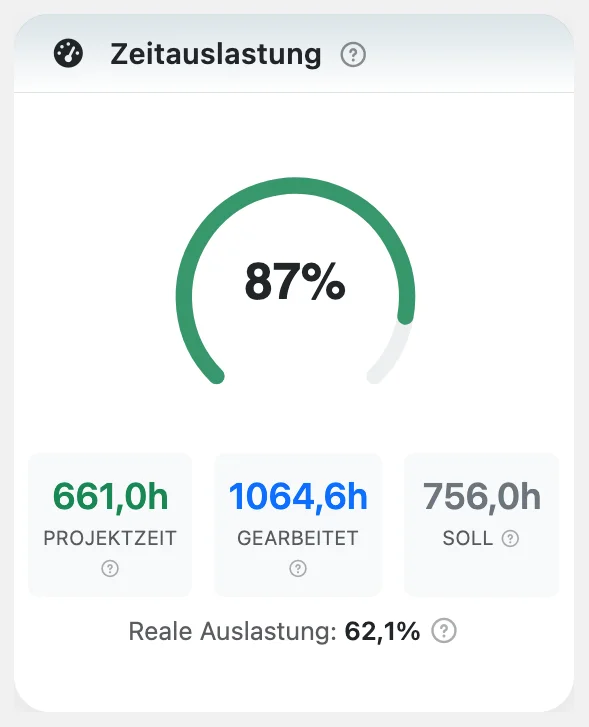
Every employee gets a working time account: Awerka compares contractual target hours with actually tracked hours and keeps a running plus/minus balance — per week and cumulatively since the start of the contract.
Public holidays, vacation, and sick days are credited automatically, so the balance stays fair without manual corrections. No Excel formulas, no end-of-month surprises — everyone sees where they stand at any time.
And the timesheet? Generates itself. Awerka builds a monthly statement per employee with target hours, actual hours, breaks, and balance — ready for payroll or your records.
-
Target vs. actual, automaticallyWeekly balance and cumulative total since contract start.
-
Holidays and absences creditedPublic holidays, vacation, and sick days count toward the target — no manual fixes.
-
Monthly timesheet per employeeHours statement with balance — ready for payroll, no retyping.
Who uses digital time tracking?
From small businesses to large enterprises – Awerka adapts to your needs. Free to start, no credit card required.
Craftsmen & Tradespeople
Track hours on the job site with your smartphone. Works on Android and iOS – even on personal devices.
Small Businesses
Replace Excel with proper time tracking software. Free for small teams – the best alternative for your business.
Medium & Large Enterprises
Scalable online solution with advanced features. Compare plans and find the right fit for your organization.
Available on all platforms: Web browser, Windows, Android, and iOS apps.
Combine with Calendar Sync
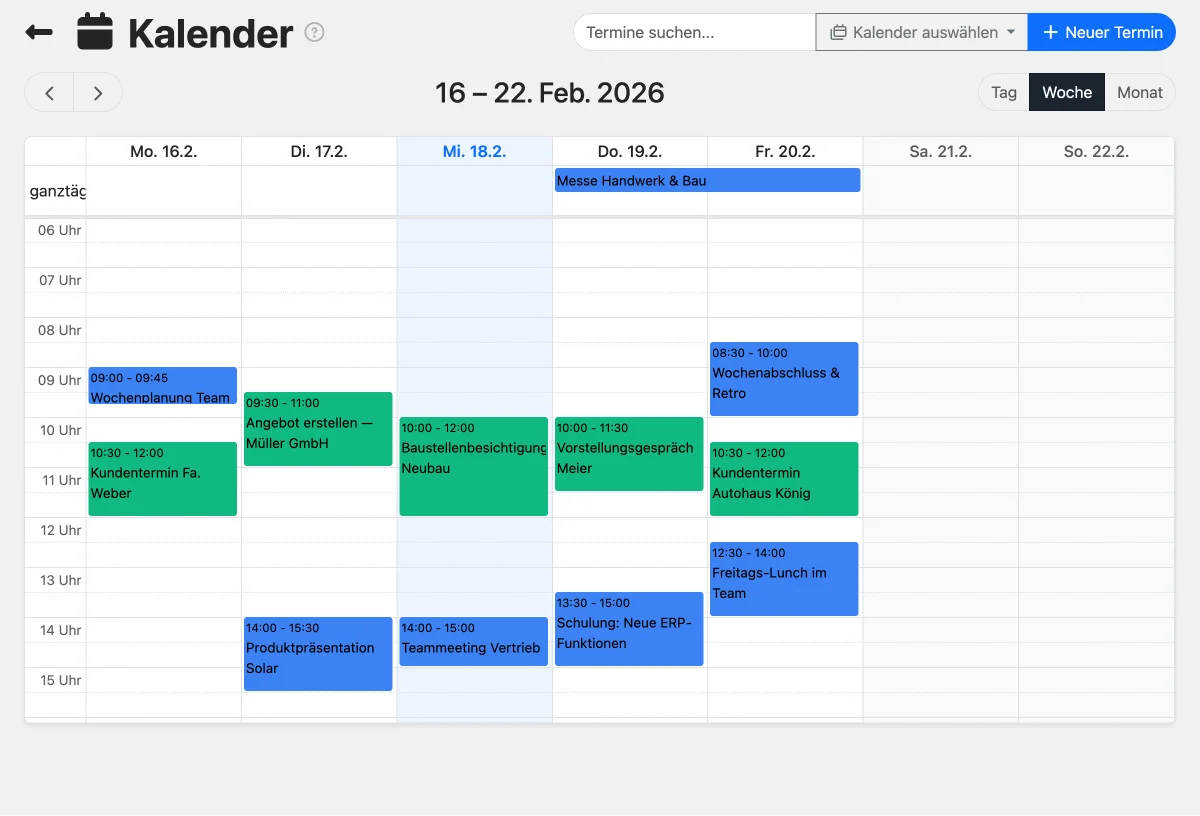
Sync your team calendar with Apple Calendar, Outlook, Android & Thunderbird. Plan appointments and track hours — all in one platform.
Try the Time Clock
Click 'Clock In' to start tracking your work time. Try pausing and clocking out!
Time Clock
Not clocked inReady? 3, 2, 1... go!
Paused
This is a demo. Your data is stored locally in your browser.
See it in action
Got questions? (FAQ)
Awerka for Mobile
Manage your business on the go. Access customers, projects, and time tracking from anywhere with our mobile app.