CRM and lead management for your sales pipeline

Goodbye sticky notes — Awerka tidies up your sales

Forget sticky notes and spreadsheet chaos. Organize leads, customers and deals in one place – for more closed deals and better service.

Point of sale cash register

Sticky notes, Excel, WhatsApp — and nobody knows where the customer stands.

One employee has the call note in their notebook, another has the email in their inbox. The Excel sheet has a date that nobody updates anymore. When the customer calls and asks "so where are we?", you spend three minutes searching as a team and end up with a hedged answer. Sales opportunities rot in someone's mailbox.

In Awerka, every customer has their own timeline. Calls, emails, appointments, quotes, invoices — all of it, chronological, visible to the team. Who spoke to them last, what was said, what's coming up next. Click the customer's name and you know their entire history with your business in a second.

CRM isn't a new idea. But most tools are so bloated that the sticky-note system wins again in the end. Awerka keeps the essentials lean: contacts, history, notes, a clear pipeline view. Whatever turns into a quote, an invoice, or a project is automatically linked back to the customer.

One customer, one timeline
All interactions in chronological order
No lead falls through
Pipeline view for sales
Linked to quotes & projects
Data flows along automatically
Calm customer conversation — Awerka turns chaotic notes into a clear customer history
Close more deals

See at a glance which deals need attention and which are ready to close.

Never search again

All notes, emails, and files in one place. Find anything in seconds, not minutes.

Impress every customer

Always know what was discussed last. Your customers will notice the difference.

Everything you need

  • All your contacts in one place — companies, people & custom data
  • Never forget a conversation — every call, email & meeting logged
  • Link quotes, orders & invoices directly to customers
  • Target the right customers with smart segments & follow-ups
  • Never miss a deadline — tasks & reminders for your team
  • Control who sees what — granular access rights

Business partnership handshake

See it in action

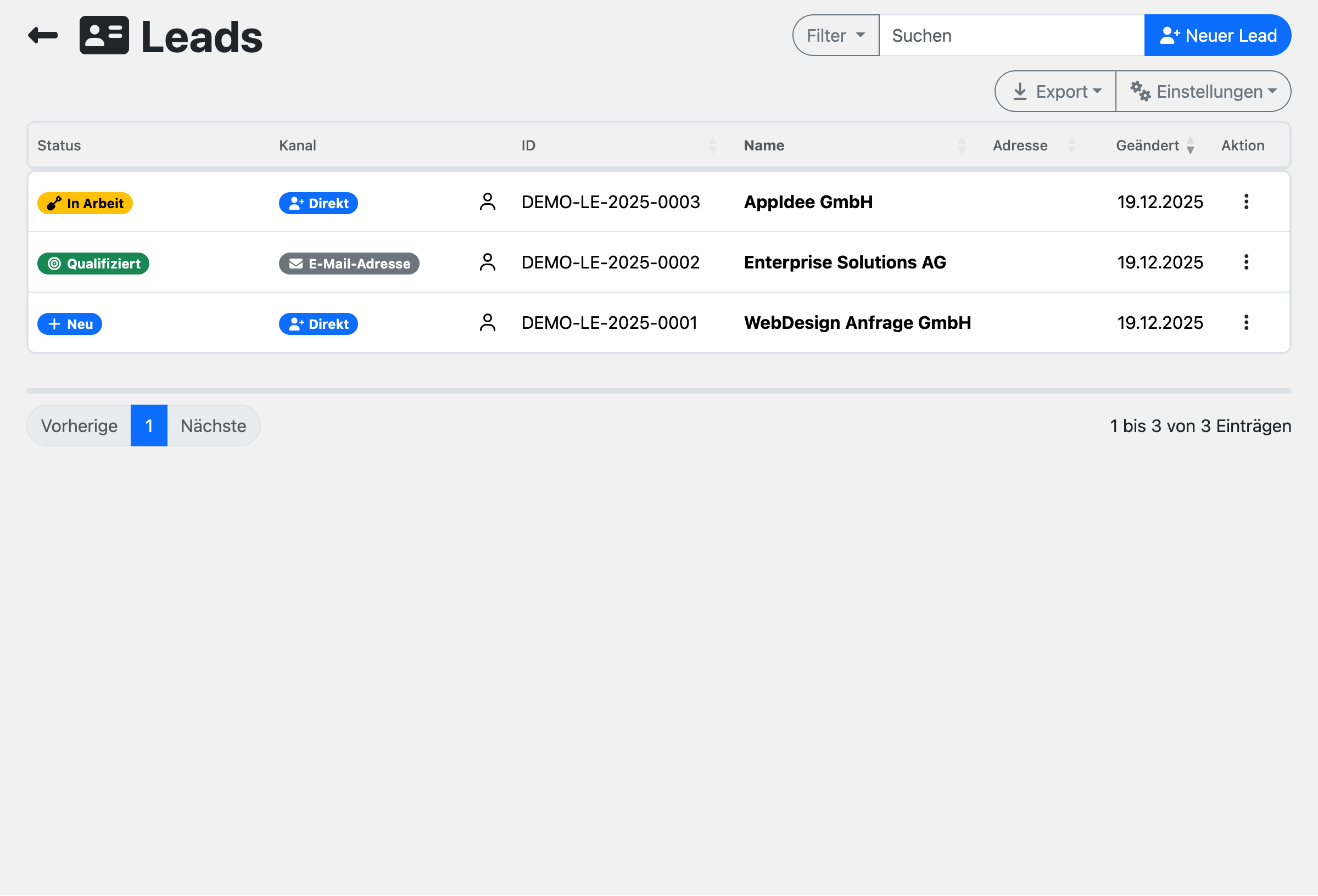
Lead List
Lead List
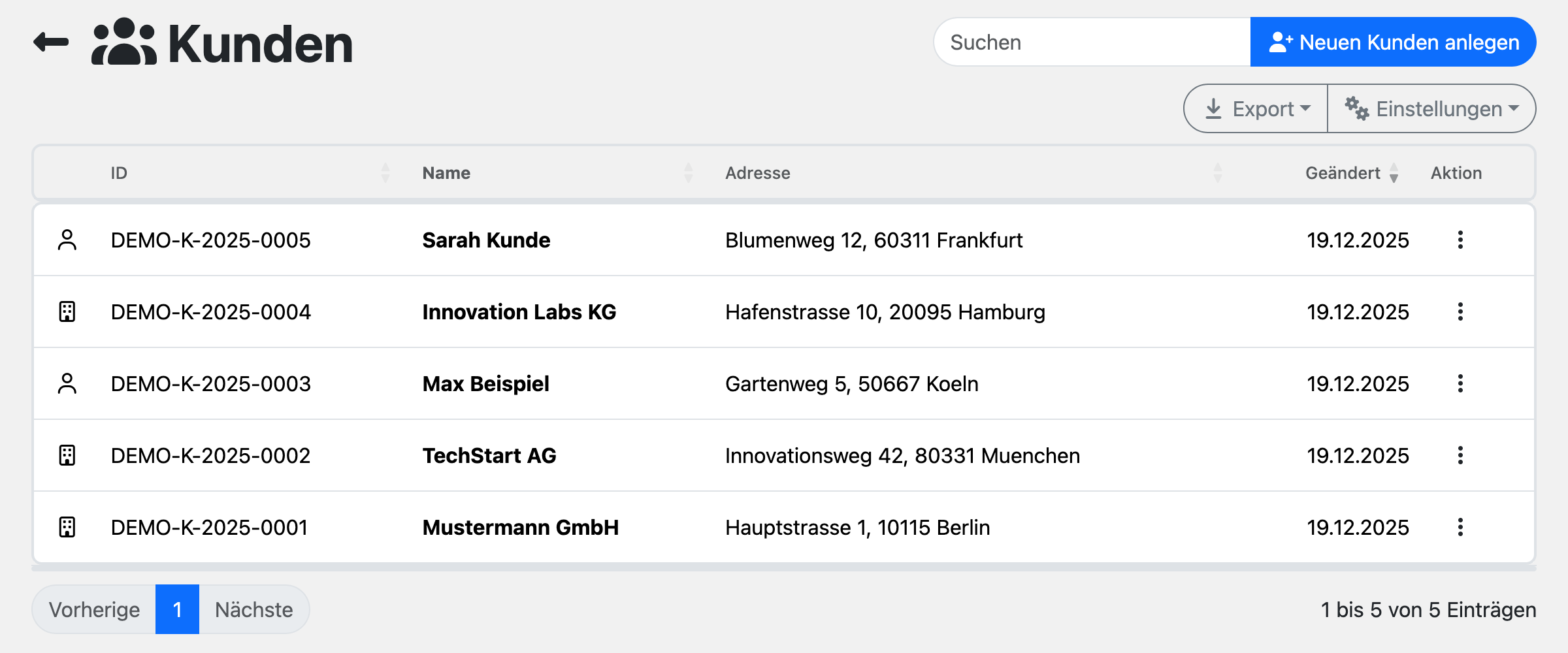
Customer List
Customer List
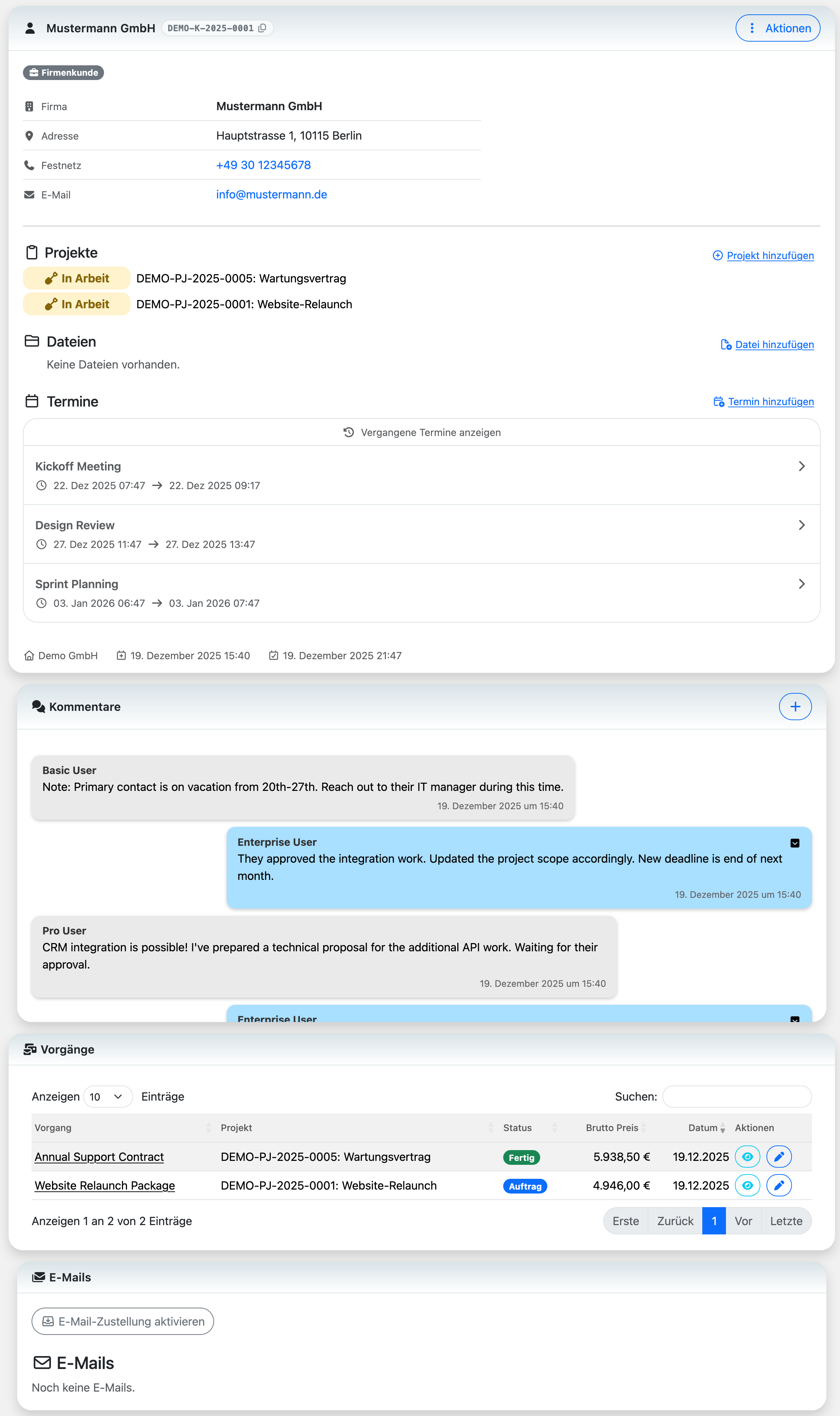
Customer Details
Customer Details

Got questions? (FAQ)

Absolutely. We'll personally help you migrate your data from any source — spreadsheets, another CRM, or even paper records. Just reach out and we'll handle the heavy lifting.

Restrict access by organization and role; users only see what they're allowed to see.

A lead is a potential customer who has shown interest in your product or service but hasn't made a purchase yet. Leads come from various sources — website forms, trade shows, referrals, or cold outreach. Once qualified and converted, a lead becomes a customer in your system.

CRM stands for Customer Relationship Management. It's a system that helps you organize all your customer interactions, contact details, deals, and communication history in one place. Instead of scattered spreadsheets and lost emails, a CRM gives your team a single source of truth — so everyone knows exactly where each relationship stands.

If you're juggling customer details across sticky notes, spreadsheets, and memory — yes. A CRM makes sense once you have more customers than you can reliably remember, or when multiple team members need access to the same information. Even freelancers and small teams benefit from having one place to track who they talked to, what was discussed, and what needs to happen next.

A sales pipeline is a visual overview of where each potential deal stands in your sales process. It typically moves through stages like 'New Lead', 'Contacted', 'Proposal Sent', and 'Won' or 'Lost'. Having a clear pipeline helps you focus on the right opportunities, forecast revenue, and spot deals that need attention before they go cold.

Spreadsheets work fine when you're starting out, but they break down fast. They can't send reminders, track email opens, or let multiple people update records without conflicts. A CRM is purpose-built for customer data: it links contacts to companies, logs every interaction automatically, and gives you dashboards instead of endless scrolling. The switch usually pays off once manual upkeep starts eating into selling time.

Ready to close more deals?

Start free. Upgrade when you're ready.

Try it free Compare plans

Awerka for Mobile

Manage your business on the go. Access customers, projects, and time tracking from anywhere with our mobile app.


Awerka business overview on mobile and desktop